
Excel Dashboard Masterclass
Build real dashboards with real data: 40+ dashboards in 30 live days, from sales and finance to HR, banking, healthcare and a CEO capstone project.
Course highlights
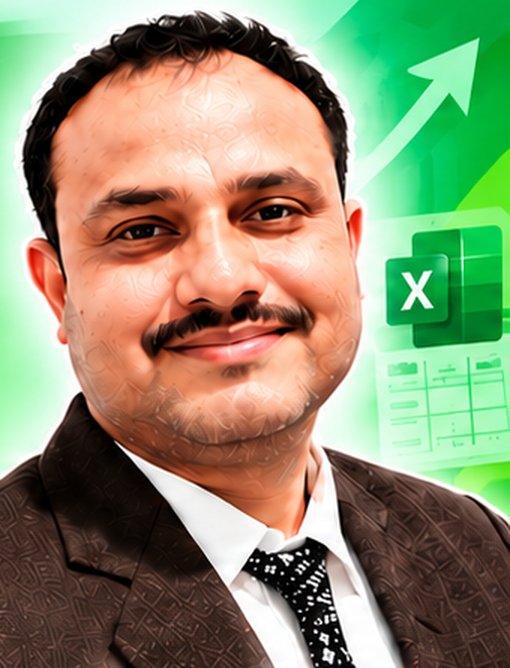
Sujeet Sir
Excel | VBA | Power BI | SQL | Python
Mr. Sujit Kumar Singh (MCA), MIS & Data Analyst
- MIS Executive and VBA Developer in 10+ companies
- Report consultant for 40+ organizations
- Founder of IPT Excel School (2007)
- Teaching motto: "Not do hard work. Do smart work."
What you will learn
Core dashboard skills.
Visuals, slicers and advanced analysis.
Finance, operations and inventory.
HR, recruitment and employee analytics.
Service, banking, e-commerce and logistics.
Healthcare, education, manufacturing and MIS.
Slicers, timelines, pivot charts, conditional formatting, dynamic ranges.
Day 30 final executive dashboard with real project work.
BENEFITS
- Dashboard fundamentals, data structure and KPI design
- Interactive pivot dashboards with slicers and timelines
- Executive KPI scorecards and CEO dashboards
- Certificate with real project work
YOUR GOAL
Build 40+ professional dashboards from real business data and create a CEO executive dashboard as your capstone.
WHO SHOULD LEARN
MIS executives, analysts, accountants, HR and sales teams, and anyone who reports in Excel.
COURSE OUTLINE
⬇ Download PDFLevel 1 - Foundation (Days 1-5)
Core dashboard skills
- Day 1 : Dashboard fundamentals, data structure and KPI design: Sales Performance Dashboard
- Day 2 : Product Sales and Product Profitability Dashboard
- Day 3 : Branch and Regional Performance Dashboard
- Day 4 : Customer Analysis and Segmentation Dashboard
- Day 5 : Monthly Sales Trend and Seasonality Dashboard
Level 2 - Interactive dashboards (Days 6-10)
Visuals, slicers and advanced analysis
- Day 6 : Sales Target vs Achievement Dashboard
- Day 7 : Interactive Pivot Dashboard with Slicers and Timeline
- Day 8 : Executive KPI Scorecard Dashboard
- Day 9 : Marketing Campaign Performance Dashboard
- Day 10 : Digital Marketing and ROI Dashboard
Level 3 - Professional MIS (Days 11-15)
Finance, operations and inventory
- Day 11 : Revenue and Expense Dashboard
- Day 12 : Profit and Loss Dashboard
- Day 13 : Budget vs Actual Dashboard
- Day 14 : Receivables, Payables and Collection Dashboard
- Day 15 : Inventory and Stock Ageing Dashboard
Level 4 - Department dashboards (Days 16-20)
HR, recruitment and employee analytics
- Day 16 : Purchase and Supplier Performance Dashboard
- Day 17 : HR Analytics Dashboard
- Day 18 : Recruitment and Hiring Funnel Dashboard
- Day 19 : Attendance and Workforce Productivity Dashboard
- Day 20 : Payroll and Compensation Dashboard
Level 5 - Customer and industry (Days 21-25)
Service, banking, e-commerce and logistics
- Day 21 : Customer Service and Complaint Dashboard
- Day 22 : Call Center and SLA Performance Dashboard
- Day 23 : E-Commerce Sales and Returns Dashboard
- Day 24 : Logistics and Delivery Performance Dashboard
- Day 25 : Banking and Loan Collection Dashboard
Level 6 - Advanced and executive (Days 26-30)
Healthcare, education, manufacturing and MIS
- Day 26 : Hospital and Healthcare Operations Dashboard
- Day 27 : Education / Institute Performance Dashboard
- Day 28 : Manufacturing, Production and Quality Dashboard
- Day 29 : Multi-Department MIS Dashboard
- Day 30 : CEO Executive Dashboard: Final Capstone Project
Dashboard tools used in every dashboard
- Slicers and timelines for easy filtering
- Pivot charts linked to pivot tables
- Conditional formatting for key metrics
- Dynamic ranges for auto-updating dashboards
COURSE DETAILS
| Duration | 30 days (Day 1 to Day 30) |
|---|---|
| Level | Expert, basic to advanced |
| Mode | Live online on Google Meet + class recording |
| Batch size | 1 to 3 students (direct contact with trainer) |
| Language | Hindi or English |
| Projects | 40+ real-world dashboards and a CEO capstone project |
| Certificate | Yes, with real project work |
| Demo | Free 3-4 day demo class |
| Fees | Contact Sujeet Sir: +91 88025 79388 |
HOW IT IS TAUGHT
Live on Google Meet by Sujeet Sir in Hindi or English, with real business data, class recordings, a certificate and doubt support. Every dashboard uses slicers, pivot charts, conditional formatting and dynamic ranges.
Join a free demo
Questions about this course
What is the fee of the Excel Dashboard Masterclass?
Fees depend on one-to-one or group batch. Contact Sujeet Sir on +91 88025 79388 or WhatsApp for the current fee.
Is there a free demo?
Yes. Join the 3-4 day free demo before you pay.
Which language is it taught in?
Hindi or English, as you prefer.